
If the brief is clear, the project behaves like a plan. If it is fuzzy, it behaves like a group chat with a calendar problem.
Every website project starts with a few innocent-sounding questions: What pages are we building? Who writes the copy? Where do leads go? Which domain is live? Those questions sound small until they are not. Then design is waiting on content, hosting is waiting on DNS, and SEO is waiting on a page title that nobody agreed to write. That is how a tidy project becomes a hallway chase scene.
Google’s own people-first content guidance and Search Console setup docs are a useful reminder that good website delivery is not just a design problem. Content, technical setup, and search visibility all share the same stage, and if one actor misses rehearsal, the whole show gets weird.
In this article I will give you a one-page brief template you can use before kickoff. It keeps the list of pages, feature needs, SEO targets, tracking, hosting, and delivery dates in one place, so the project does not wander off wearing a fake mustache.
You will also get common pitfalls to avoid, a simple timeline section, and a clean way to assign owners so the brief does not become a decorative PDF that nobody reads.

Why Website Projects Slip
The most common failure mode is not bad design. It is missing inputs. If no one writes down the content scope, the team starts guessing. Guessing feels fast for about ten minutes, and then it starts charging rent. The homepage gets designed, the services page gets drafted, and three days later someone remembers the FAQ, the quote form, the newsletter signup, and the fact that the legal pages also need content.
Late asset delivery creates a second trap. A project can look on track right up until the logo file, team photo, or product screenshot arrives in a format that the design team cannot use without converting, resizing, or gently sighing at. The same thing happens with copy. If the brief says “we will send the copy soon,” the timeline will immediately start auditioning for a disaster movie.
The third trap is mismatched SEO expectations. One person says “we want to rank for everything,” another says “just make it readable,” and a third person asks whether the title should include the brand name or a keyword phrase. That is not a strategy. That is a tug-of-war with no referee. A good brief turns those arguments into decisions before the build begins.
The One-Page Brief Template
If I were filling this out for a new site, I would keep it to one page and force every field to earn its place. The goal is not to write a novel. The goal is to remove ambiguity before it starts multiplying like rabbits with spreadsheets.
| Brief field | What to fill in | Why it matters |
|---|---|---|
| Project goal | What the site must do: leads, sales, bookings, downloads, support, or trust-building | Design and content can make better decisions when the business outcome is obvious |
| Primary audience | Who the site is for, plus one short sentence about what they care about most | Helps shape tone, navigation, and page priorities |
| Page list | Every required page, including service pages, contact, references, blog, and legal pages | Stops scope creep and forgotten pages |
| Feature list | Forms, email list signup, CRM routing, file downloads, search, booking, or forum needs | Features affect design, testing, and delivery time |
| SEO targets | High-level phrases, page purpose, and internal linking notes | Aligns copy with search intent without turning the brief into keyword soup |
| Tracking | What counts as a lead or conversion and where those events go | Prevents the “we launched, but nobody knows what happened” problem |
| Hosting/domain | Registrar, renewal date, hosting plan, email setup, DNS access, SSL plan | Launch depends on these details more than most people expect |
| Timeline | Content due dates, review rounds, approval deadline, and launch date | Turns vague promises into a working schedule |
| Owners | Who supplies content, who approves it, and who handles feedback | Stops the “everyone owns it” trap, which usually means nobody owns it |
| Assets | Logo files, photos, screenshots, brand guidelines, and licensing notes | Design cannot finish a meal with no ingredients |
This is the boring magic. It is not glamorous, but it is the reason a website project can actually finish on time instead of developing a personality disorder.
The Inputs Checklist
Before design starts, I would ask for six inputs: business goals, target audience, optional competitor references, brand assets, existing copy, and any hard launch constraints. This is where the project begins to look like a real plan instead of a mood board floating in the fog.
- Business goal: What should the site help people do?
- Audience: Who is visiting, and what problem are they trying to solve?
- Reference sites: Optional, but useful for understanding taste, structure, or features.
- Brand assets: Logo, colors, fonts, image style, and tone guidelines.
- Existing copy: Any text you already have, even if it is messy.
- Constraints: Deadline, legal needs, hosting limits, or domain transfer timing.
If you already have a homepage or a reference section like the references page, mention it in the brief. It helps the team understand the proof you want to show, not just the pixels you want to show off.
When the project is tied to a broader site such as the homepage, the brief should explain how the new work fits the existing structure. Otherwise the new page can end up looking like it belongs to a different universe, which is a fun aesthetic for sci-fi, less fun for conversion.
Page and Feature Inventory
This section is where you list every page and every interactive thing that needs to exist. If the site will have a service page, a contact form, a newsletter signup, and a downloadable brochure, put all of it in the brief. Do not leave feature discovery for the last week. That is how timelines become elastic in the worst possible way.
| Page or feature | Purpose | Notes to include in the brief |
|---|---|---|
| Home | Quick summary of the business and primary next step | Key message, primary CTA, and supporting proof |
| Web design service page | Explain services, process, and value | Link to web design services, list service blocks, and include lead action |
| Hosting and domain page | Explain ownership, renewal, email, and technical dependencies | Note registrar access, DNS owner, SSL, and email setup, then review the details with hosting and domain information |
| Advertising or campaign page | Explain paid traffic support or lead-gen campaigns | Clarify what form submissions, phone calls, or downloads should be tracked through online advertising services |
| Contact page | Capture sales inquiries and support requests | Form fields, email routing, anti-spam controls, and response expectations |
| Blog or news | Support SEO, updates, and ongoing education | Category structure, authorship, and editorial owner |
| Email list signup | Grow subscriptions or repeat communication | Consent language, double opt-in, and platform destination |
| Downloads | Share brochures, guides, or product sheets | File type, file name, file size, and tracking event |
Notice what is missing: mystery. Everything is named. Everything is owned. That alone removes a surprising amount of friction.
SEO Alignment in the Brief
SEO in a brief does not mean stuffing keywords into every paragraph like a raccoon with a tote bag. It means defining the purpose of each page so the copy, headings, internal links, and metadata all point in the same direction. Google Search Essentials says to use words people actually search for in prominent places and to make links crawlable, which is a useful north star when the team is deciding what the page is really about. Google Search Essentials is worth keeping open while the brief is being written.
For each major page, write three small items in the brief:
- Primary phrase: A high-level search phrase or topic, not a full keyword spreadsheet.
- Page purpose: One sentence about why the page exists for the visitor.
- Internal links: Which pages should this page point to, and why?
A useful example: the web design page should not just say “we build websites.” The brief should say what the page proves, what action it should invite, and how it should connect to the home page, references, and contact page. That is a map, not a pile of buzzwords.
If the site will rely on a sitemap or indexability checks, add that to the brief too. Google’s sitemap guide and Search Console starter guide are the right references when someone asks, “Do we need to think about search before launch?” The answer is yes. Always yes.
Tracking and Lead Capture Requirements
A brief should explain what counts as a lead and where that lead goes next. If the site has a form, a phone number, a downloadable file, or a newsletter signup, each of those should be listed with the desired tracking method. Otherwise launch day becomes a guessing game with a nicer font.
For each action, define four things:
- What to track: Form submit, call click, file download, video play, or email signup.
- Where it goes: Shared inbox, CRM, spreadsheet, or marketing platform.
- What success means: A completed form, a valid phone click, a download, or an opt-in.
- Consent notes: Basic language for data collection and follow-up contact.
Google Analytics’ events documentation is useful here because it reminds you that interactions are measurable only if they are defined before the site goes live. If the brief says “track all the important things,” the build team will still need a list of what “important” means.
This is also the point where paid traffic and campaign needs belong in the brief. If the site will support ads or lead generation, the handoff should connect to the team working on online advertising so the form fields, thank-you pages, and tracking events are not invented twice.
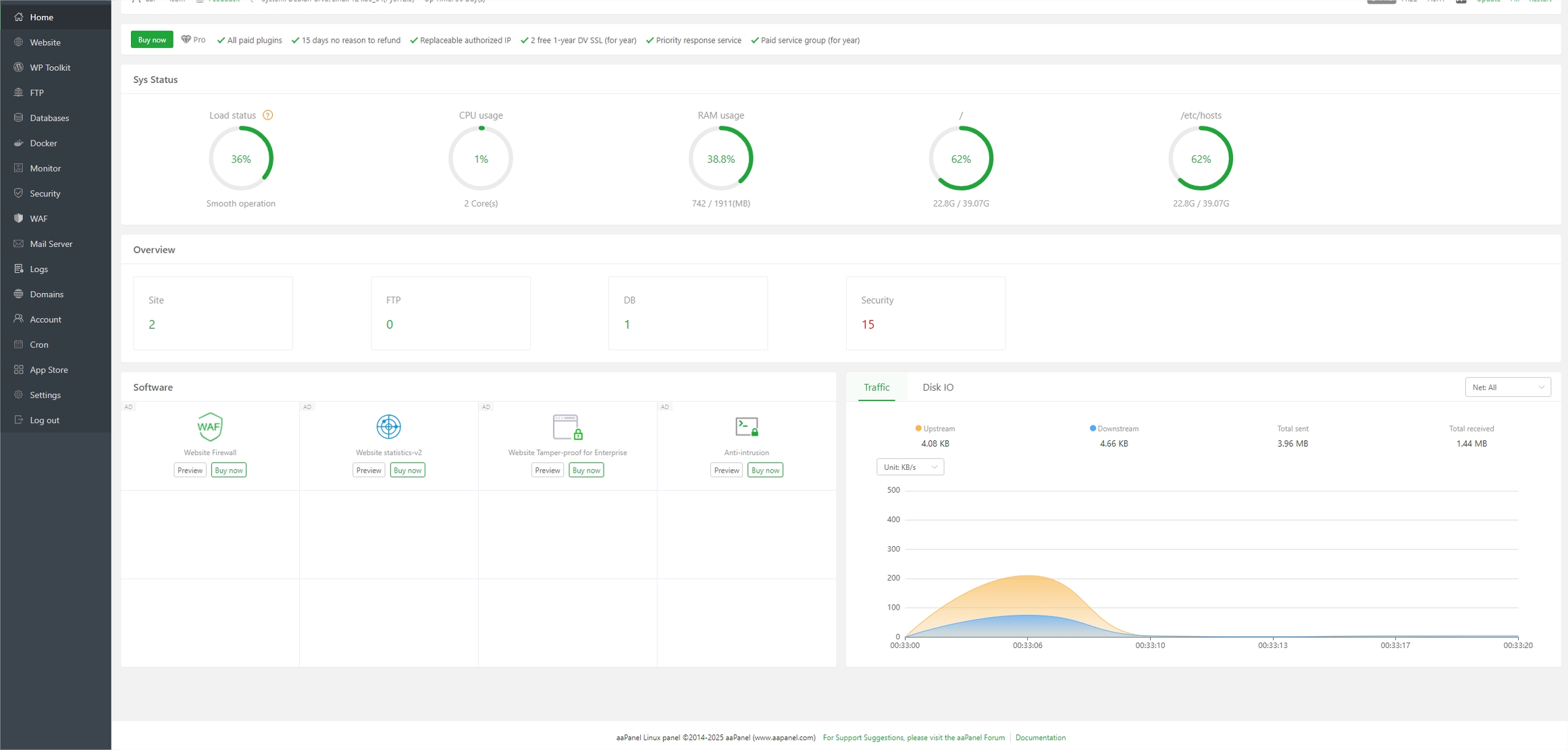
Hosting and Domain Dependencies
This is the part everybody remembers at the end and forgets at the beginning, which is exactly why it should be in the brief. Launching a website is not just about the design. It also depends on the domain owner, the registrar login, DNS access, hosting plan, email setup, and SSL certificate. If those pieces are unclear, the launch date starts wobbling like a shopping cart with one bad wheel.
At minimum, the brief should capture:
- Domain status: Is it already registered, who owns it, and when does it renew?
- Hosting plan: What environment will the site live on, and who controls access?
- Email setup: Which inboxes need to exist before launch?
- DNS timing: Who changes records, and when?
- Security basics: SSL, backups, and any account-level protection.
If those decisions are not settled, the project should pause and resolve them early. The hosting and domain page is the right internal reference for that conversation because it keeps the operational pieces close to the project brief instead of hiding them in a separate mailbox forever.
And yes, this is where the screenshot matters. The control panel is not the glamorous part of the story, but it is the part that decides whether the site actually appears when the team says it will appear. A very humbling genre of software.
Timeline Section
The timeline section should be painfully specific. “Soon” and “ASAP” are not dates. They are stage directions for chaos. I prefer a small table with content delivery dates by page, a review round, and a final approval date. If the content is late, the project should have a fallback rule written down in advance.
| Milestone | What must arrive | What happens if it slips |
|---|---|---|
| Brief approval | Scope, pages, features, and owners are signed off | No design starts until the brief is approved |
| Content delivery | Homepage, service page, contact copy, and legal copy | Design can proceed only on approved pages |
| Asset delivery | Logo, photos, screenshots, and brand files | Placeholder assets are used only if the brief allows it |
| Review round 1 | Initial layout and content structure | Consolidated feedback only; no side-channel edits |
| Review round 2 | Final copy, final images, and final tracking list | Launch date moves if critical assets are missing |
| Go-live approval | DNS, forms, analytics, and redirects are tested | Launch waits until the checklist is green |
For SEO-ready pages, I would also define a minimum acceptance standard in the brief: page purpose is clear, headings are structured, internal links are present, title and meta description are approved, and the page has been reviewed on mobile. That is a much more useful definition than “looks nice.”
Roles and Responsibilities
A brief without ownership turns into a shared diary of confusion. Someone should own content supply, someone should own approval, someone should own technical setup, and someone should own feedback consolidation. That is the difference between a process and a very expensive scavenger hunt.
I like a simple responsibility list:
- Content owner: Supplies copy, source facts, and final approval for messaging.
- Designer/developer: Turns the brief into layouts, pages, and working features.
- SEO/marketing owner: Checks page purpose, internal links, and tracking setup.
- Technical owner: Handles hosting, domain, email, and launch access.
- Feedback owner: Collects comments in one place and resolves duplicates.
The key rule is one feedback channel. Not email plus chat plus a phone call plus a screenshot with a hand-drawn arrow and the phrase “move this over a little.” Pick one place for comments and keep it there. Everyone’s sanity will thank you later.
Copy and Picture Requirements
The final section should spell out file formats, licensing, and naming rules. That sounds small, but it saves hours. For copy, ask for editable docs or shared documents, not random screenshots of text. For images, specify formats like JPG, PNG, or SVG where relevant, plus the preferred dimensions and whether cropped versions are acceptable.
The brief should also answer these questions:
- Who owns the copyright or usage rights for every image?
- Are stock assets licensed for web use, and for how long?
- Do photos need captions or credits?
- What file naming convention makes uploads easy to identify?
- Does any image need a short alt text summary for accessibility and SEO?
Keep filenames boring in the best way possible: clear, descriptive, and easy to find later. “final-homepage-hero-v3-really-final.jpg” is not a strategy. It is a cry for help.
Final Check Before Kickoff
Before I would start design, I would make sure the brief answers these seven questions: What are we building? Who is it for? Which pages exist? Which features are required? What should be tracked? What technical decisions are already made? Who approves the work?
If those answers are written down, the project has a spine. If they are not, the project has vibes, which is a charming way to lose time.
If you want examples of how the finished site can support the brief, the references page shows the kind of proof that should be planned in the brief, not discovered the night before launch. And if you need help turning the brief into a real project, the cleanest next move is to contact the team with the page list, feature list, and timeline already filled in.
Quick Summary
- A website brief works best when it names the goal, audience, pages, features, and owners in one place.
- SEO belongs in the brief as page purpose, primary phrase, and internal linking notes, not as keyword confetti.
- Hosting, domain, email, and tracking should be decided before launch, not during the launch panic.
- A timeline with content due dates and review rounds prevents the usual “waiting on one more thing” delay.
- Copy and images should arrive in approved formats with clear licensing and naming rules.
The best brief is short enough to read, specific enough to trust, and practical enough to keep the whole website from drifting apart like a badly tied raft.