
Website maintenance is the bill you pay for keeping a site useful after launch. Ignore it, and the site still exists; it just starts behaving like a shop with the lights on and nobody behind the counter.
Most owners ask the same few questions once a site goes live: what actually needs to be maintained, what can wait, how often should updates happen, and what is a reasonable monthly budget? Those are the right questions. For the technical basics, the official WordPress update documentation is a useful reminder that core, theme, and plugin updates are not optional decorations. For the search side, Google’s SEO Starter Guide is the cleaner version of the same message: if the site changes, the technical and content basics still matter.
This guide turns maintenance into a menu instead of a mystery. I will break down the categories, show you what belongs in a baseline plan, flag the add-ons that are nice but not essential, and give you a realistic way to estimate monthly cost without buying a bundle of “peace of mind” that mostly funds someone else’s spreadsheet habit. If you need the broader service context, the homepage, web design services, hosting and domain information, online advertising support, and references pages are the right places to connect the dots.
In plain language: maintenance is not about doing everything forever. It is about doing the few things that keep a site secure, stable, findable, and easy to trust. That is a much smaller job than the industry would like to sell you, but it is also more honest.
Why Maintenance Matters After Go-Live
A website launch is not a finish line. It is the point where the site becomes a live system with moving parts. Content ages, plugins change, hosting stacks change, browser behavior changes, and security problems do not politely announce themselves before arriving. The site may look calm from the outside while the inside is quietly collecting technical debt.
The most common mistake is treating launch as a one-time event. A business will spend time choosing layouts, writing pages, and polishing details, then assume the site can coast. In practice, the site has a short honeymoon and then starts asking for routine care: updates, backups, form checks, uptime monitoring, and occasional content fixes. None of that is glamorous. It is also cheaper than dealing with a problem after something has already broken.
There is a second mistake, equally common and more expensive: buying a maintenance plan that includes activities nobody asked for. Monthly reports that say very little, “optimization” that turns into vague busywork, and endless little edits that never seemed to produce a visible outcome. Maintenance should reduce uncertainty. It should not create a second, less useful website in the form of a PDF.
For search and content teams, Google’s helpful content guidance and SEO Starter Guide both point in the same direction: good sites stay useful because they are maintained, not because they were published once with dramatic confidence and then left alone like a museum exhibit.
Maintenance Categories Explained
Most maintenance plans are just different combinations of the same six categories. Once you can name them, it becomes easier to decide what you actually need.
| Category | What it covers | What happens if you skip it |
|---|---|---|
| Security | Updates, hardening, basic scanning, access control checks | Higher chance of vulnerabilities, broken admin access, or preventable incidents |
| Performance | Speed checks, image optimization, cache tuning, cleanup | Slower pages, worse user experience, and more friction on mobile |
| Backups | Scheduled copies of files and database, restore testing | Recovery becomes slower, more expensive, and more dramatic than necessary |
| Uptime monitoring | Alerts when the site goes down or behaves abnormally | Problems can sit unnoticed until a customer complains |
| SEO upkeep | Titles, meta descriptions, indexability, links, and page health | Search visibility drifts while nobody is watching the problem long enough |
| Content updates | Text changes, promotions, banners, landing pages, and image swaps | The site becomes stale, which is a polite word for “less persuasive” |
Security Checks
Security maintenance is not about fantasy-level guarantees. It is about reducing risk. That usually means core and plugin updates, keeping credentials under control, reviewing user access, and watching for suspicious changes. If the site runs on WordPress, the update cycle matters because the platform ecosystem is active and not all components age gracefully at the same pace.
A clean security baseline should also include a way to confirm what changed after an update. If a plugin update breaks a form, menu, or template, someone needs to know quickly. The goal is not to panic. The goal is to see the problem before a customer does.
Performance Monitoring
Performance maintenance watches the site from the user’s side, not the developer’s laptop. That means checking load time, image sizes, page weight, caching behavior, and whether the site feels snappy on mobile connections that are less forgiving than office Wi-Fi.
Minor speed work often pays for itself because users do not reward slow pages with patience. They reward them with the back button. Performance monitoring is therefore less about bragging rights and more about keeping the site from quietly leaking leads.
Backups and Restore Testing
Backups are not useful because they exist in theory. They are useful because they can be restored. A backup plan should state what is backed up, how often, where it is stored, and who can restore it. That final part is where many plans become suspiciously vague.
WordPress’s own backup documentation is a good reminder that recovery planning is part of operations, not an emergency hobby. If your provider says the site is backed up but cannot tell you the last successful restore test, you do not have a backup strategy. You have a comforting sentence.
For a practical view of uptime and recovery, Cloudflare’s uptime monitoring overview is a useful primer. Monitoring is not the same as backup, but they belong in the same conversation because both exist to shrink damage when something goes wrong.
Uptime Monitoring
Uptime monitoring is the early-warning system. It tells you when the site is unreachable, timing out, or showing error conditions. For a small business site, the value is simple: if the site goes down on a weekend or after business hours, you do not want to discover it from a customer email that begins with “your form seems broken.”
Monitoring should trigger an actionable alert, not just a decorative graph. Someone should know who receives the alert, how quickly they respond, and what the fallback is if the first fix does not stick.
SEO Upkeep and Content Updates
SEO maintenance is not full-scale campaign work. It is the quieter discipline of keeping pages healthy. Titles should still make sense. Meta descriptions should still describe the page. Internal links should point to current content. Important pages should still be indexable. If service pages change, supporting copy should change with them.
That is where site structure and maintenance meet. A site with clear service pages, a sensible blog index, and stable navigation is easier to maintain because there are fewer moving parts hiding under the hood. If you need a broader design context, the web design services page is the natural companion to maintenance planning because the design architecture affects how much upkeep the site will need later.
A Must-Have Baseline for Most Small Business Sites
If I were writing the smallest sensible maintenance plan for a typical small business site, I would keep it focused on the work that prevents avoidable damage. Nothing flashy. Just enough structure to stop the site from becoming a weekly surprise.
| Baseline item | Recommended cadence | Why it belongs in the plan |
|---|---|---|
| Core/plugin/theme updates | Weekly or biweekly, depending on site risk | Reduces security issues and compatibility drift |
| Backup automation | Daily for active sites, weekly for very light sites | Creates a recovery path when updates, edits, or incidents go wrong |
| Restore test | Monthly or after major changes | Confirms that backups are usable, not just present |
| Uptime monitoring | Continuous | Flags outages before they turn into missed leads |
| Form and email test | Weekly or after any form change | Prevents the classic “contact form worked until it didn’t” problem |
| Basic SEO checks | Monthly | Protects titles, indexability, and internal linking |
This baseline is enough for many brochure sites, local business sites, and simple service pages. If the site has e-commerce, memberships, recurring content publishing, or heavy integrations, the baseline still applies, but it is not the whole job. More moving parts mean more checks. That is not punishment; it is arithmetic.
The right question is not “what can I possibly pay for?” It is “what minimum routine keeps the site safe, current, and usable without spending money on tasks that do not change outcomes?” That framing keeps the plan honest.
What a Basic Plan Should Say in Writing
- Who handles updates
- How often updates run
- Whether updates are tested first
- What backup schedule is used
- How long it takes to restore after a failure
- How support requests are submitted and tracked
If the provider cannot answer those six questions clearly, the plan is incomplete. Maintenance should not depend on memory and optimism.
Optional Add-Ons That Can Help
Optional does not mean useless. It means the value depends on the site’s size, traffic, and business model. These are the extras I would consider after the baseline is solid.
Form and Email Monitoring
If the site relies on leads, form monitoring can be worth paying for. It helps catch delivery failures, spam surges, or routing problems before they turn into missing enquiries. That is especially important if the site uses contact forms, quote requests, or appointment workflows.
For businesses running campaigns, this is also the point where maintenance and advertising begin to overlap. If a landing page stops sending leads, a campaign can look weak when the real problem is that the form never delivered. That is the kind of mistake that makes marketing reports feel haunted.
Plugin and CMS Upgrade Cadence
Some sites need a stricter upgrade cadence than others. If the CMS is heavily customized, if plugins are doing real business logic, or if the site depends on multiple integrations, update management deserves more care. The add-on value here is often less about “doing updates” and more about testing them in a safer order.
A controlled upgrade cadence can include staging tests, rollback notes, and a change log. That sounds boring because it is boring. Boring is good when the alternative is a broken checkout or broken lead form.
Landing Page Refreshes
If the site runs promotions or paid ads, periodic landing page refreshes can be useful. This is not full redesign territory. It is usually about tightening the headline, improving message match, adjusting calls to action, and making sure the page still supports the campaign’s actual offer.
That kind of work belongs naturally near the online advertising side of the business because the page and the campaign are a pair. If the page gets stale, the ad does not get to pretend it is someone else’s problem.
Monthly Reporting
Reporting is useful when it answers three things: what changed, why it changed, and what the next action should be. A small report with clear notes beats a large report full of charts that behave like abstract art.
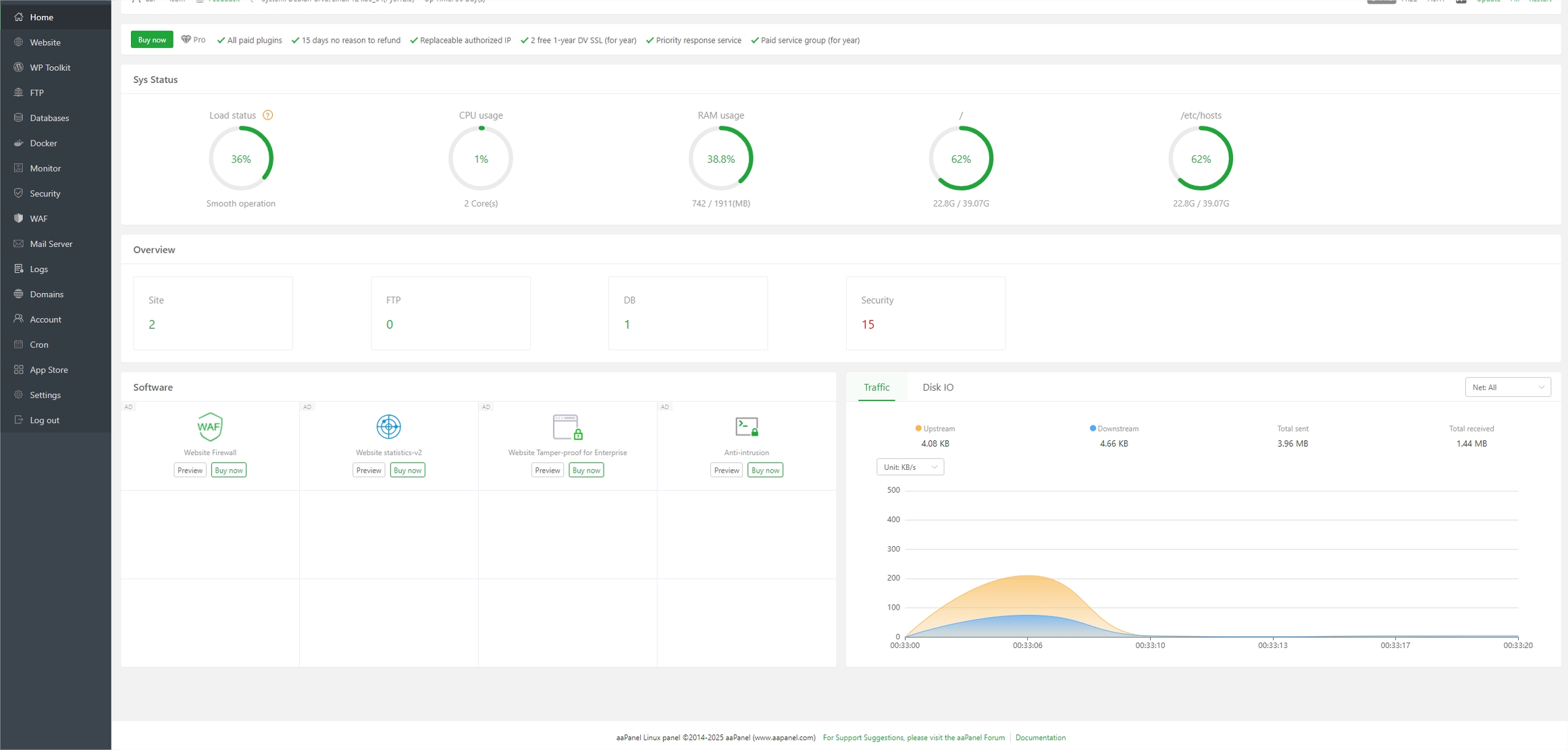
Here is a simple visual example of why reporting matters. The details on the screen are less important than the habit of reviewing them on schedule.

If a team already has a maintenance checklist, a web app generator can sometimes turn that checklist into a lightweight internal workflow for tasks, reminders, and approvals. That is not the point of maintenance, but it is often the difference between a process that exists and a process that merely lives in someone’s inbox.
What You Can Safely Skip or Delay
Not every maintenance task deserves a monthly subscription. Some work is useful only after the site reaches a certain size or complexity. Skipping low-value items is not neglect if the site’s risk profile does not justify them.
| Task | Usually safe to delay when | Why it can wait |
|---|---|---|
| Fancy dashboard reports | The site is small and the owner only needs a short summary | Numbers without decisions do not create value |
| Weekly content polish | The site is stable and content changes are infrequent | Some pages only need monthly or quarterly review |
| Landing page refreshes | No active campaigns are running | There is no live offer to optimize every few weeks |
| Advanced security add-ons | The site has low traffic, low admin complexity, and solid hosting | Baseline security may be enough without extra layers |
| Constant SEO tweaks | The site has not yet built stable content or traffic patterns | Short-term tinkering often creates noise instead of signal |
What should not be skipped are the boring essentials: backups, updates, uptime monitoring, and form tests. Those are the tasks that save time later because they prevent a much larger interruption.
If you need a test for urgency, use this rule: if a failure would stop leads, damage trust, or make recovery expensive, it belongs in the plan; if it mainly creates aesthetic discomfort, it can usually wait.
Hourly Support vs. a Monthly Plan
This choice depends on how often the site changes and how quickly you need someone to respond. Hourly support is flexible. A monthly plan is steadier. Most businesses need one more than they need the other, but the answer depends on usage.
| Model | Best for | Pros | Cons |
|---|---|---|---|
| Hourly support | Occasional fixes, small sites, very light change volume | Pay only when work happens, easy to start | Costs can surprise you, response time may vary, tasks may pile up |
| Monthly plan | Sites that need routine updates, monitoring, and predictable coverage | Better continuity, clearer priorities, usually faster triage | Can include unused hours if the scope is poorly defined |
For a brochure site with little traffic and a stable page set, hourly support can be enough as long as there is a backup routine in place. For a business site that gets leads every week, monthly coverage is usually more sensible because the site is too important to treat like a one-off repair job.
My rule of thumb: if you expect changes every month, buy a monthly plan. If you expect changes every quarter, hourly support may be enough. If you expect changes every week, the plan should be structured enough to track them, not just “available when needed.”
A Simple Checklist to Request from Any Provider
Before signing a maintenance agreement, ask for specifics. A good provider should be able to answer the following without turning the conversation into a philosophical seminar.
- What tasks are included each month?
- How often are updates installed?
- Do you test updates before they go live?
- How often are backups run, and where are they stored?
- How quickly do you respond to a site-down issue?
- What is the rollback process if an update breaks something?
- How are support requests submitted and tracked?
- What access do you need to handle maintenance safely?
- Do you provide a summary of work completed each month?
- What counts as extra work outside the plan?
If you want to make that checklist easier to manage internally, some teams keep it in a reusable workflow tool instead of a loose email chain. That is not because maintenance is glamorous. It is because maintenance is easier to run when the requests, owners, and rollback notes live in one place.
One more practical question belongs on the list: who has the authority to approve a rollback? If the answer is “nobody wants to be the one,” then the plan does not yet cover the real process.
Typical Cost Drivers
Monthly cost is driven less by the phrase “maintenance” and more by the shape of the site. Here are the big factors that usually move the price up or down.
| Cost driver | How it affects the price | What to watch for |
|---|---|---|
| CMS complexity | More custom functionality usually means more testing | Plugins or custom code that need careful updates |
| Number of pages | More pages create more opportunities for content drift | Large sites need more review time for links, titles, and templates |
| Integrations | Forms, CRM, payment, booking, and email tools add risk | Failures can hide in the handoff between systems |
| Email volume | High lead volume means more form and notification checks | Make sure notifications actually reach the right inbox |
| Hosting tier | Cheaper hosting can require more monitoring and cleanup | Slow or unstable hosting creates extra maintenance work |
| Content update frequency | Frequent edits require more hands-on support | Landing pages, offers, and campaigns can increase workload quickly |
Typical monthly pricing often falls into three rough bands for small business sites in USD:
- Light maintenance: about $50 to $150 per month for simple sites with backups, updates, and basic monitoring.
- Standard maintenance: about $150 to $400 per month for sites that need more regular updates, content support, and reporting.
- Hands-on maintenance: about $400 to $1,000+ per month for larger sites, active campaigns, multiple integrations, or more frequent changes.
Those are not promises and they are not universal. They are the usual shape of the market when the work is done by a competent human and not by an invoice generator with a confidence problem. What matters is whether the plan matches the site’s actual risk and workload.
How to Set Expectations for Turnaround and SEO Improvements
Turnaround times should be written down before the plan begins. A maintenance provider does not need to solve every issue instantly, but they do need to tell you what “promptly” means in practice.
For routine work, a healthy expectation is often:
- Routine edits: 1 to 3 business days
- Minor fixes: same week, depending on scope
- Urgent outages: as fast as the response clause says, not as fast as someone hopes
- SEO improvements: measured over weeks and months, not days
SEO deserves special honesty. A maintenance plan can keep pages healthy, correct technical issues, and support incremental improvements. It cannot guarantee rankings. Google’s own guidance makes it clear that indexing, crawlability, and content usefulness matter together, which means the result depends on the site, the market, and the quality of the work over time. That is a better framework than pretending a monthly update package is a ranking machine.
To keep the SEO side sane, ask for three things in the report: what changed technically, what changed in content or links, and what changed in visibility or engagement. That gives you a real picture of whether the site is moving in the right direction.
For a small business site, the realistic goal is not “SEO is done.” The realistic goal is “the site stays healthy, pages stay current, and the search footprint improves because the underlying system is maintained well.” That is a much less dramatic sentence and a much more useful one.
Bottom Line
Website maintenance should be a practical system, not a subscription to abstraction. Start with the essentials: updates, backups, uptime monitoring, form checks, and basic SEO upkeep. Add monthly reporting, landing page refreshes, and deeper support only when the site’s traffic, lead volume, or complexity justifies it.
If you want the short version, here it is:
- Include security, backups, performance checks, uptime monitoring, and basic SEO care.
- Skip or delay fancy reporting, constant content tweaks, and extra add-ons that do not affect outcomes.
- Choose monthly support when the site changes often or leads matter.
- Use hourly support when the site is simple and changes are rare.
- Budget more as the CMS, integrations, and content workload grow.
If you are comparing options for a new or existing site, the best next step is to line up the maintenance plan with the rest of the system: design, hosting, advertising, and references. That way the site is not just live. It is actually maintained.